


Pokémon · Updated November 2026
Pokémon card scanner
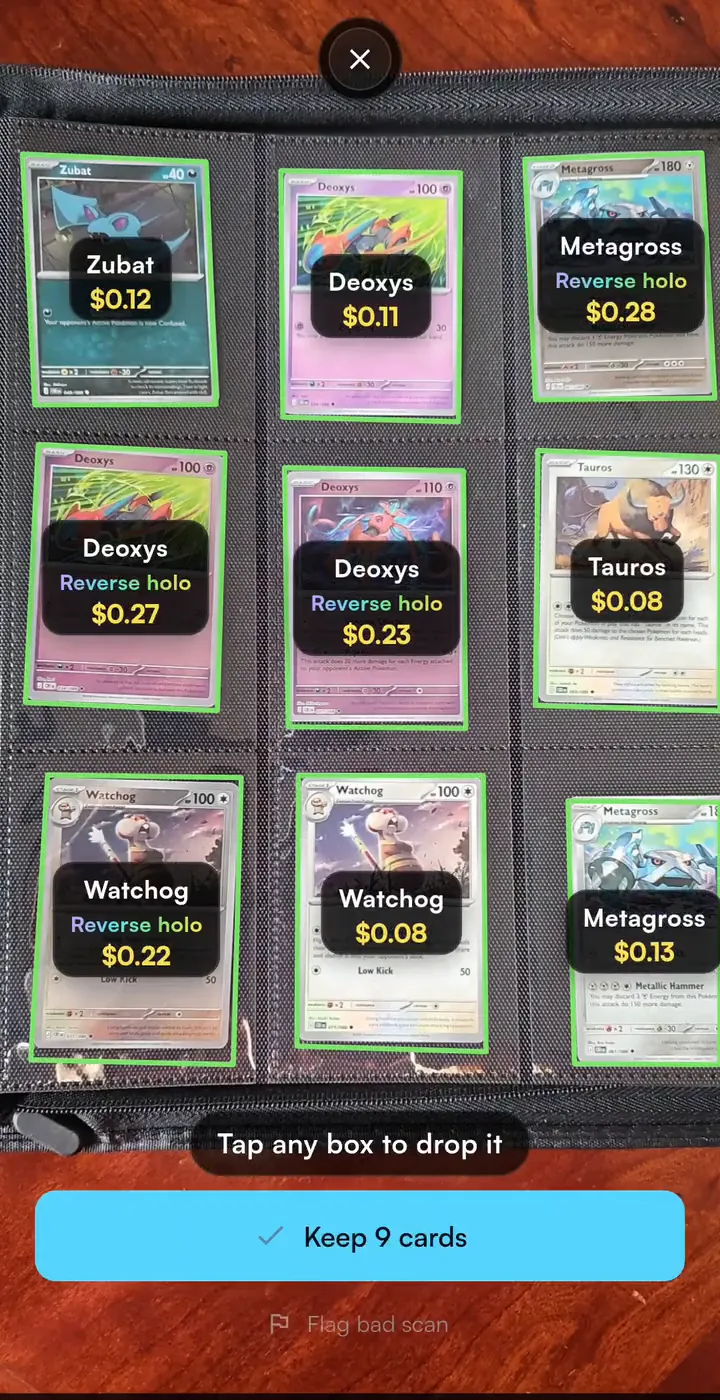
Point your phone at one card, several cards on a table or a whole binder page. The GlintGG scanner names each card, automatically checks whether it's a reverse holo*, and adds it to your collection with its market price. The scanner is completely free, with no limit or need to make an account.
*On supported sets, including recent English Pokémon sets.



At a glance
- Price
- Free. No daily or weekly scan limit and no cap on your collection.
- Cards covered
- English Pokémon cards from Base Set (1999) to the newest set, plus Japanese Pokémon cards.
- Reverse holos
- Detected automatically on supported sets, including recent English Pokémon sets. It marks a reverse holo when it's sure; cards it isn't sure about save as the regular print, so give those a quick look.
- Ways to scan
- A whole binder page in one shot, loose cards spread on a table, or autocapture for one card at a time.
- Sleeves
- Cards can stay in their sleeves and binders.
- Where it runs
- Cards are identified on your phone. Scan photos aren't uploaded unless you choose to send one, for example to report a bad scan.
- Card prices
- Market prices based on recent sales, for each card and each printing.
- Phones
- iPhone and Android.
How a scan works
Step 1
Point the camera
Hold your phone over a binder page or a few cards on the table. No need to line anything up.
Step 2
Check the labels
Each card gets its name, set, number and price. On supported sets, reverse holos are automatically detected.
Step 3
Save
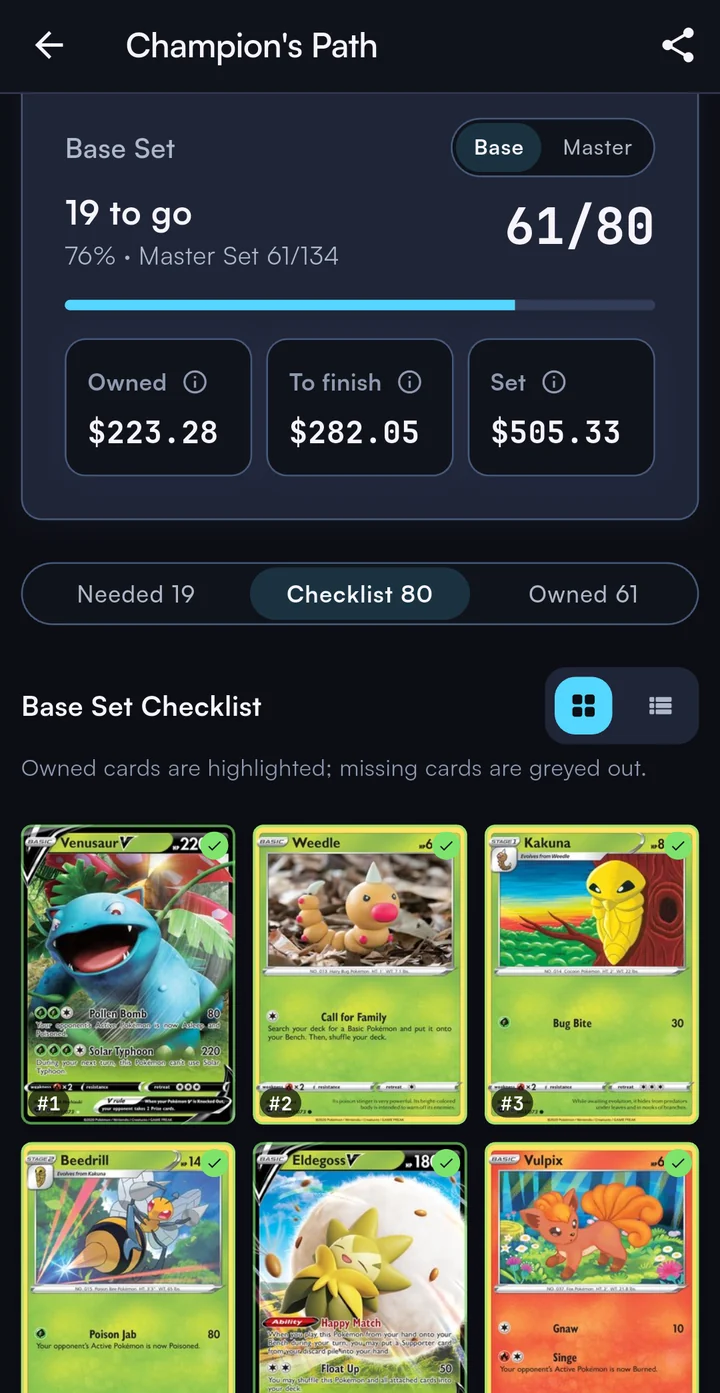
Cards go into your collection. Your set progress and your collection's value update straight away.
After the scan
Every set shows what you have and what's missing, both for the base set and master set. You can also build binders that update automatically as you add new cards.
Want to check card prices as you scan, follow collection value over time or pre-check a card before grading? See the Pokémon card value scanner, collection value tracking and GlintGG Grade.
Collect Magic, Yu-Gi-Oh, Lorcana or One Piece too? The same scanner covers them.
Questions
Is the Pokémon scanner really free?
Yes, and it will stay that way. There's no daily or weekly scan allowance and no cap on how many cards you save, and we'll never add either. Pro is optional and adds grading estimates, market tools and more binders.
Does it tell reverse holos apart from regular cards?
Yes, on supported sets, including recent English Pokémon sets. The scanner marks a reverse holo when it's sure. Cards it isn't sure about save as the regular print, so give those a quick look. More on reverse holo detection
Can I scan multiple Pokémon cards at once?
Yes. Scan a whole binder page in one shot or spread several loose cards on a table. Every card gets its own name, set, number and price.More on scanning multiple cards
Can I scan Japanese Pokémon cards?
Yes. Japanese cards scan and track the same way. You pick the finish yourself, and cards with more than one finish are flagged.
Do I have to take cards out of their sleeves?
No. Scan them in sleeves, toploaders or a binder page.
How is a scanned card priced?
Each card and printing gets a market price based on recent sales, and your collection's total updates as prices move.
Scan your first binder page.