


Pokémon · Price checker · Updated November 2026
Scan a Pokémon card and see what it's worth
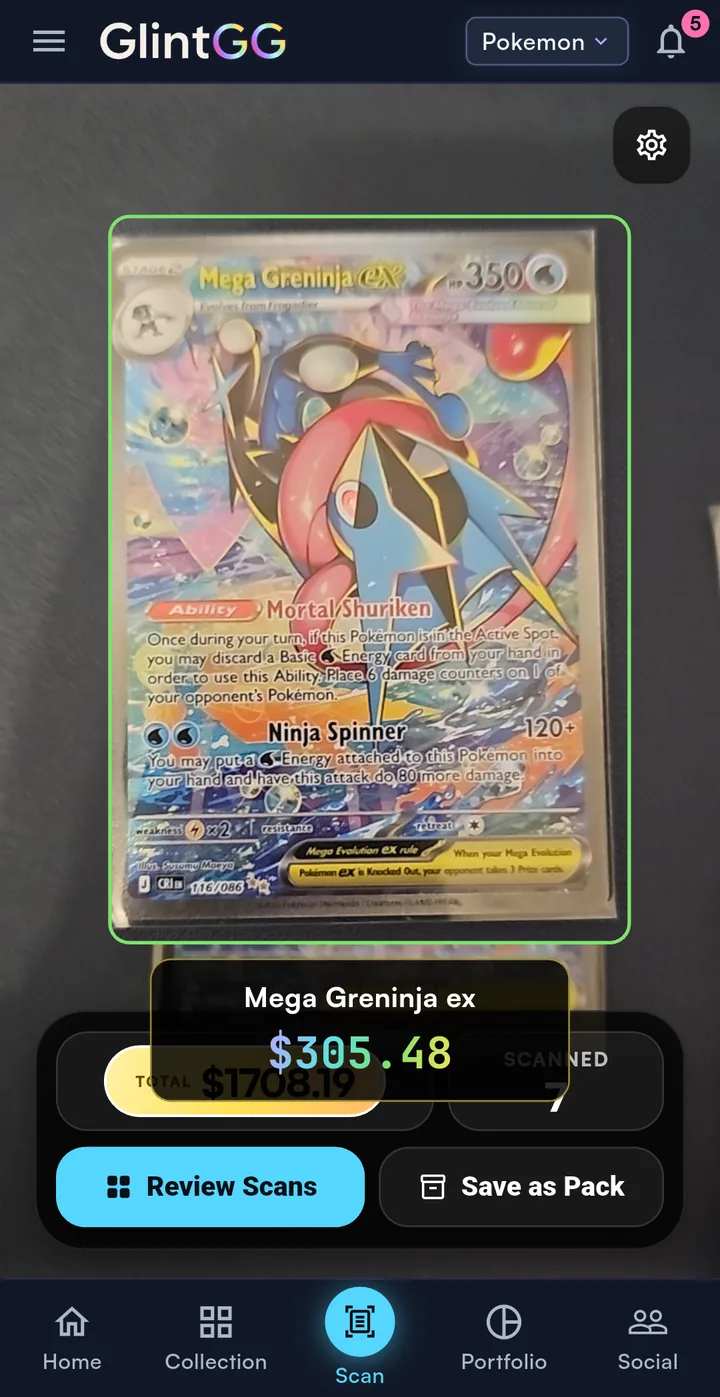
Point your phone at a single card, a spread of loose cards or a full binder page. GlintGG identifies each card on your phone, detects reverse holos automatically on supported sets, and shows the market price for that exact printing with no scan limit and no account needed.
Free to scan and check prices on iPhone and Android. Prices updated daily.



At a glance
- Price to use
- Free. No daily or weekly scan allowance, no collection cap and no account required to start.
- Printing accuracy
- Prices match the exact set, collector number and finish (regular, holo or reverse holo).
- Reverse holo pricing
- Detects reverse holos automatically on supported sets, including recent English Pokémon sets, so each card pulls its own printing price without opening a variant menu.
- Speed on bulk
- Scan up to a full nine-pocket binder page or a table spread of loose cards in one shot, or use single-card autocapture with a running total.
- Price data
- Updated daily per printing and condition, keeping completed sales separate from marketplace asking prices. Read how GlintGG prices cards
- Graded prices
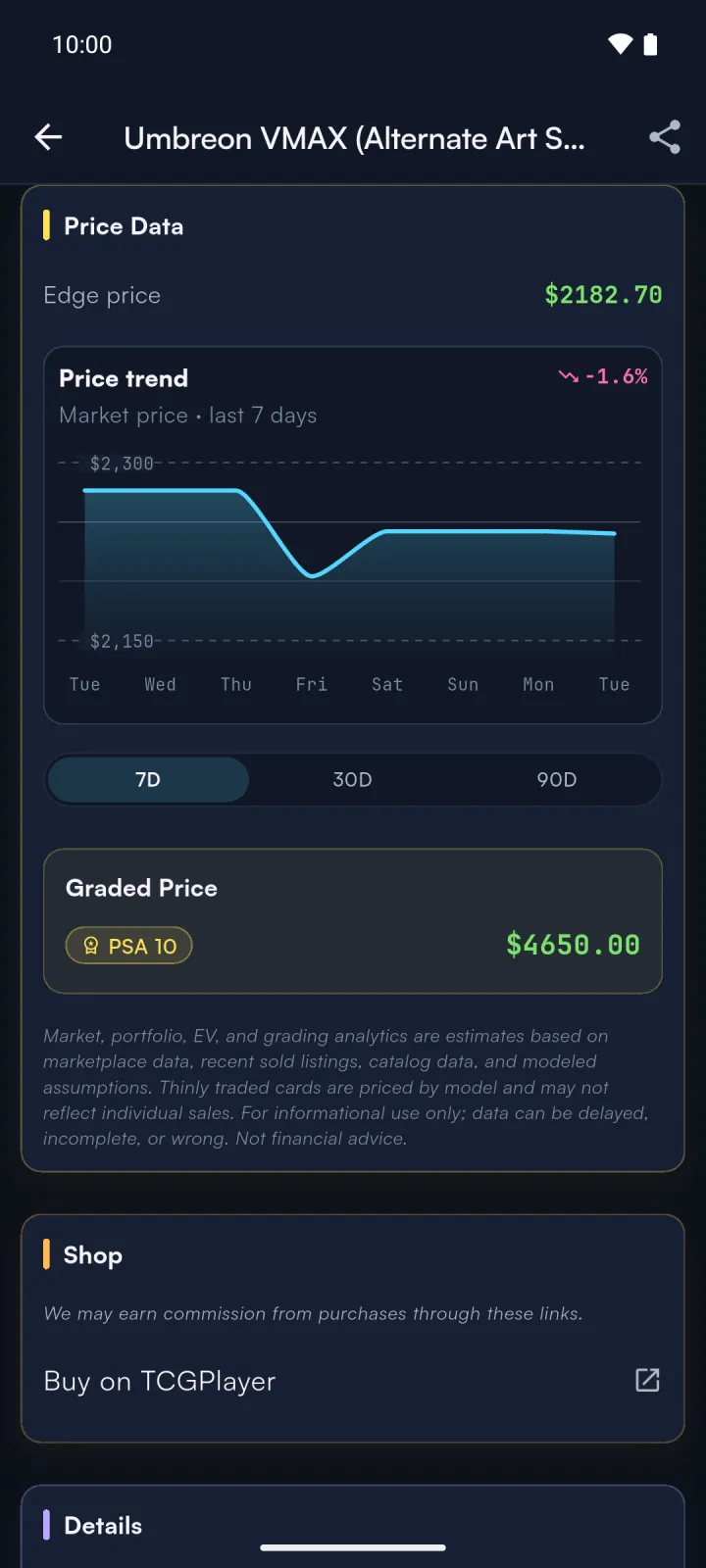
- Card detail pages show raw price history (7D, 30D, 90D) alongside graded prices such as PSA 10 when available.
- Games covered
- Pokémon (English and Japanese), Magic: The Gathering, Yu-Gi-Oh, Lorcana and One Piece.
Why finish detection changes the price
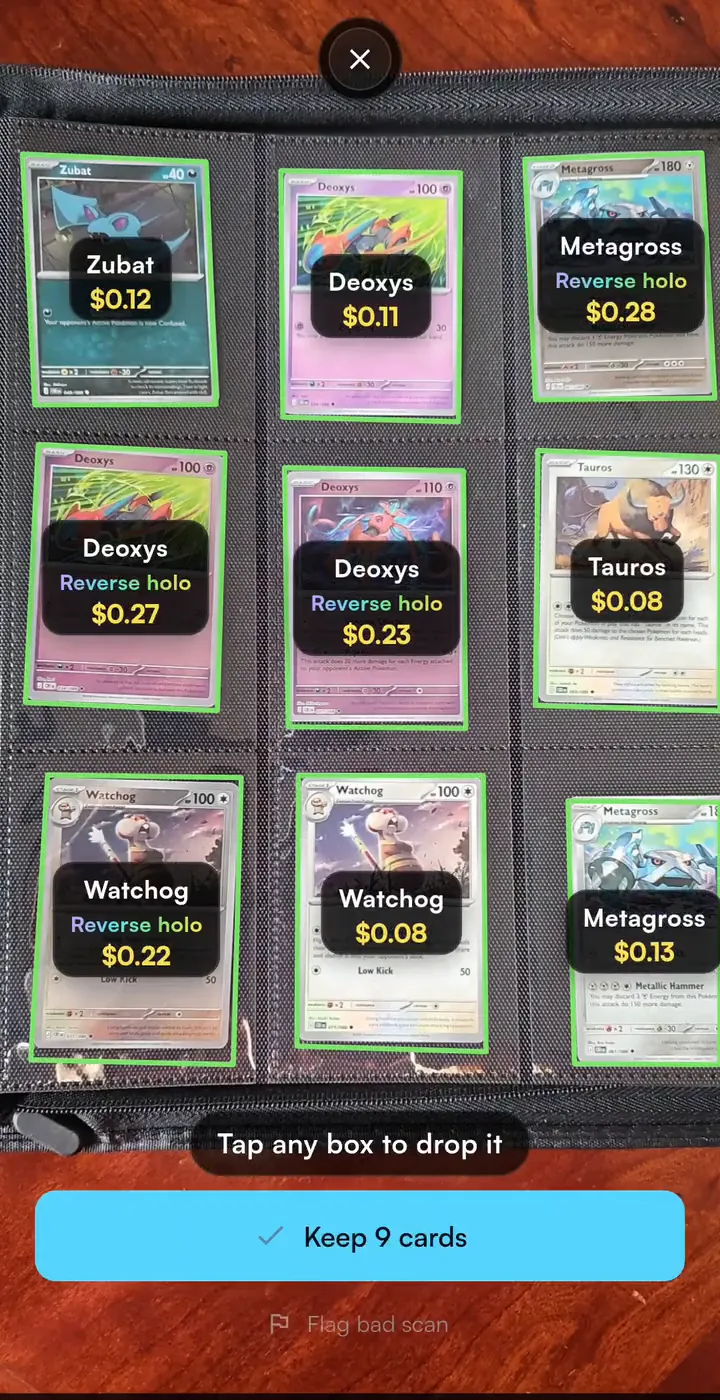
Two copies of the same Pokémon card can share identical artwork and collector numbers while trading at different prices. In the single binder-page scan shown here, GlintGG labeled and priced three regular/reverse-holo pairs in one shot without manual edits:
- Watchog
- Regular $0.08 · Reverse holo $0.22
- Deoxys
- Regular $0.11 · Reverse holo $0.27
- Metagross
- Regular $0.13 · Reverse holo $0.28
That works automatically on supported sets, including recent English Pokémon sets. On small cards the gap is cents; across a full binder or older reverse holos it adds up fast. See how reverse holo detection works
Check raw trends and PSA 10 value on every card
Tap any scanned card to open its price history across 7-day, 30-day and 90-day windows, see graded price references (such as PSA 10) next to the raw price, and decide whether to hold, sell raw or run a pre-grade check with GlintGG Grade.
Want to track how your whole binder or collection moves week to week? See the collection value tracker.
Loose-card workflow
Finding the hits in a box of 800 loose cards
- Open the scanner in loose-card mode (spread 6 to 9 cards on a table) or autocapture for a fast single-card stack.
- Watch the price pop up on each card and the running total at the bottom of the screen. There is no daily scan counter to slow you down.
- Save the batch to your collection, then sort by price to pull the highest-value singles and check PSA 10 grading candidates.
Questions
Is there a free Pokémon card value scanner with no scan limit?
Yes. GlintGG scans single cards, spreads of loose cards and full binder pages for free on iPhone and Android, with no daily or weekly scan limit, no collection cap and no account required to start. Every identified card shows the market price for its printing.
Does it show different prices for regular and reverse holo Pokémon cards?
Yes. On supported sets, including recent English Pokémon sets, GlintGG detects reverse holos automatically while scanning and attaches the reverse holo market price instead of the regular print price. On other sets, other games and Japanese cards, you pick the finish and cards with more than one finish are flagged.
How do I find the valuable cards in a box of 800 loose cards?
Use loose-card multi-scan to lay out several cards on a desk at once, or autocapture to run through a stack one by one. Because GlintGG has no scan limit and runs identification on your phone, you can scan the whole box in one sitting, watch the running session total and sort your saved cards by price afterward.
Where do GlintGG card prices come from?
Prices are updated daily per card, printing, finish and condition. GlintGG separates completed marketplace sales (used for outlier-cleaned sold medians on covered cards) from marketplace asking listings so you can see real transaction prices without mixing asks into sold comps.
Can I scan cards to check prices without saving them to my collection?
Yes. Prices appear directly on the scanner overlay before you tap Keep, so you can price-check cards at a shop, trade night or card show without adding them to your collection.
Does the price scanner work for Magic, Yu-Gi-Oh, Lorcana and One Piece?
Yes. The same free, unlimited scanner identifies and prices English and Japanese Pokémon, Magic: The Gathering, Yu-Gi-Oh, Lorcana and One Piece.
Scan your cards and see what they're worth.