


All games · Updated November 2026
Scan multiple cards at once
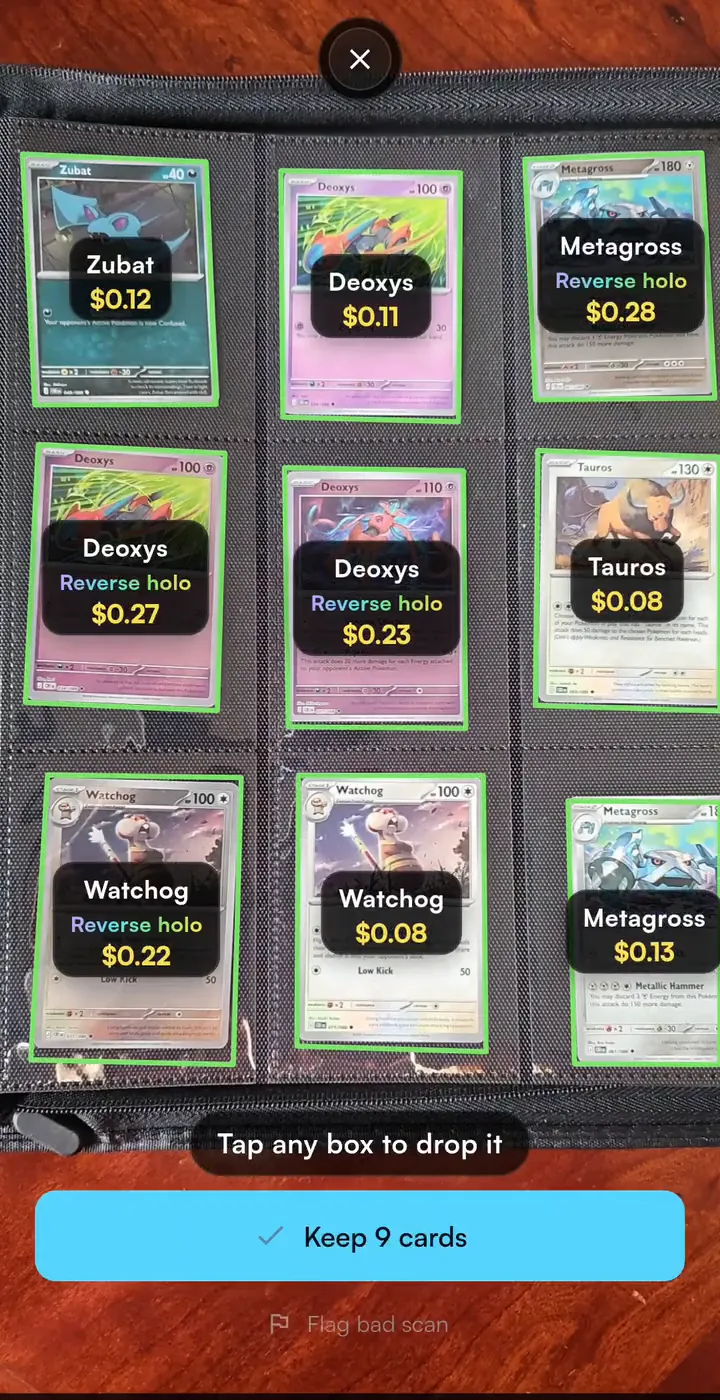
Hold your phone over a binder page or a spread of loose cards and GlintGG scans them all in one shot. Every card gets its own name, set, number and price, and you save them together. It's free, with no scan limit, no collection cap and no account needed to start.



At a glance
- Binder pages
- A whole page in one shot, with the cards left in their sleeves.
- Loose cards
- Spread several cards on a table and scan them together.
- Single cards
- Autocapture picks up one card at a time when that's quicker.
- Every card labeled
- Name, set, number and market price for its printing. On supported sets, reverse holos are detected automatically.
- Games
- Pokémon (English and Japanese), Magic: The Gathering, Yu-Gi-Oh, Lorcana and One Piece.
- Price
- Free. No scan limit and no collection cap, and we'll never add either.
How it works
Step 1
Lay them out
Open a binder page or spread a few cards on the table. No need to line anything up.
Step 2
Scan once
Hold your phone over the cards. Each one is named and priced in the same scan.
Step 3
Save them all
Check the labels, then save. Your set progress and your collection's value update straight away.
Cataloging a box of loose cards with no limit
A pile of bulk or a box of 800 loose cards takes hours one by one, and a scanner with a daily or weekly allowance stops you partway through. GlintGG has no allowance to run out of: cards are identified on your phone, not on our servers, so we'll never need to cap scanning.
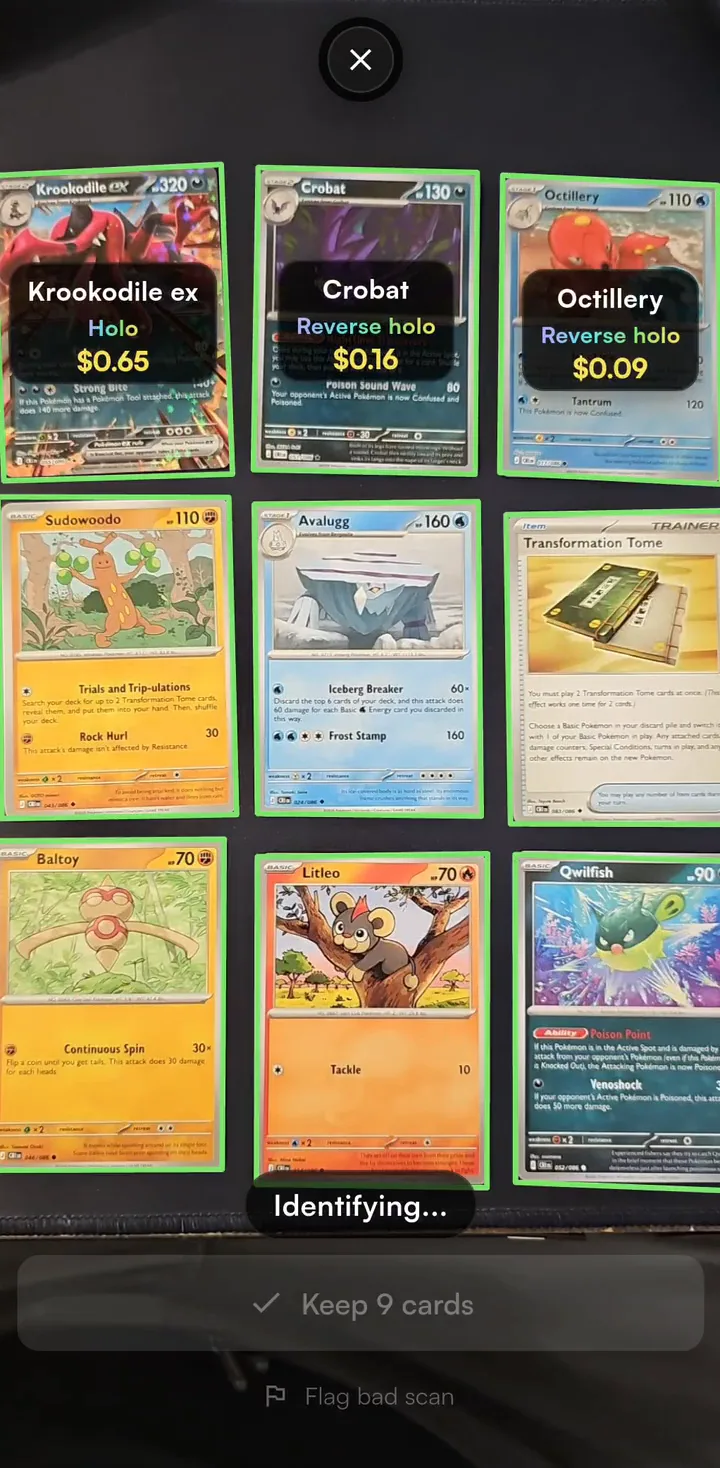
Spread 6 to 9 loose cards on a desk to capture batches in one shot, or switch to autocapture for a quick single-card stack with a running total on screen. Once saved, sort your collection by price to pull out the valuable singles. More on scanning for prices
Questions
Is scanning multiple cards at once free?
Yes. Binder pages, loose cards and single cards are all free, with no daily or weekly limit and no cap on how many cards you save.
What is the fastest way to catalog a box of 800 loose cards on my phone?
Spread 6 to 9 loose cards on a flat desk and scan the group in one shot, or switch to autocapture and feed a stack under the camera one card at a time. There is no scan limit, each card gets its printing price on screen, and you can sort by price afterward to spot the valuable cards.
Can I scan a binder without taking the cards out?
Yes. Sleeves and binder pages are fine. Under strong glare, tilt the phone a little and check the labels.
Does it work for Magic, Yu-Gi-Oh, Lorcana and One Piece?
Yes. Binder pages and loose cards scan the same way in every supported game.
Are reverse holos labeled when I scan several cards?
Yes, on supported sets, including recent English Pokémon sets. Every card on the page gets its own label in one scan. More on reverse holo detection
How many cards can I scan in a row?
As many as you like. There's no daily, weekly or lifetime scan limit.
Scan a whole page at once.